
Maximize Your Vape Experience: The Ultimate Guide to USB-C Fast Charging
Your vape is low, you have a USB-C cable nearby, and the tempting question is simple: can you charge it faster without shortening the battery’s life or creating a safety problem? The useful shortcut is this: USB-C can make vape charging more convenient and sometimes faster, but only when the device, cable, and wall adapter are all compatible with the vape’s stated input limits. The port shape alone is not a green light for maximum power.
USB-C helps most when you treat it as a system, not just a cable
USB-C is the oval, reversible connector now common on phones, laptops, earbuds, and many rechargeable vapes. Its biggest benefit for vape charging is convenience: the cable is easier to insert, widely available, and often more durable than older micro-USB connectors. That alone can reduce everyday charging friction, especially if you have been dealing with loose ports or slow, unreliable cables.
Fast charging, however, is not created by the connector by itself. A vape has a small battery and an internal charging circuit that decides how much current it can safely accept. A USB-C charger may be capable of delivering far more power than the vape asks for, but a properly designed device should only draw what it supports. The practical question is not “Is this USB-C?” but “Does this vape support the charger and cable I’m using?”
This distinction matters for anyone searching for vape schnellladen usb c because the goal is not simply speed. It is efficient charging without avoidable heat, battery stress, or port damage.
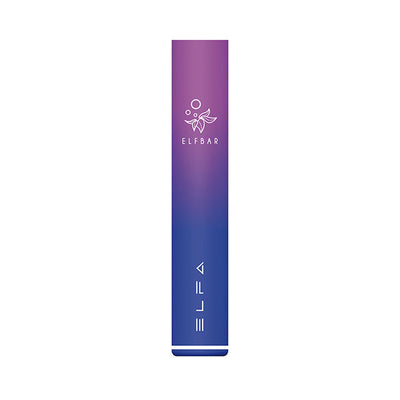
The real benefits of USB-C vape charging
For most users, USB-C improves the charging experience in four practical ways:
- Reversible plug orientation: You do not have to force the connector or flip it repeatedly, which can reduce wear from awkward insertion.
- More consistent cable availability: USB-C cables are now common, so losing one cable is less disruptive than losing a proprietary or older micro-USB cable.
- Potential for faster charging: If the vape supports higher input and the charger can provide it, USB-C may reduce downtime compared with older low-power charging setups.
- Cleaner charging setup: One connector type across multiple small devices can mean fewer cables, fewer adapters, and less confusion.
The “fast” part is the one to treat carefully. USB-C can be fast and efficient, but a vape may still be designed for modest charging rates. If the manual, device label, or manufacturer guidance does not state fast-charge support, assume the USB-C port is mainly for convenience rather than maximum speed.
How fast charging can affect vape battery life
Rechargeable vapes typically use lithium-based batteries, and lithium batteries do not love excess heat. Fast charging can increase heat if the battery, charging circuit, charger, or cable is poorly matched. Occasional warmth during charging is not automatically a crisis, but a device that becomes hot, smells unusual, swells, leaks, or behaves unpredictably should be unplugged and not used.
The battery-life impact depends on three factors: how much power the vape is designed to accept, how well heat is managed, and how often you push charging to the upper limit. A device designed for a certain charging rate should handle that rate better than a device being paired with a questionable charger or cable. The problem is that users often cannot see the charging circuit, so the safest approach is to follow the published input rating rather than guessing from the port type.
Fast charging also changes user behavior. If you frequently run the battery very low, plug in for short bursts, charge in hot environments, or use the vape immediately while it is still warm, the battery may experience more stress over time. The exact long-term effect will vary by device, but the direction is clear: heat and mismatched charging are the conditions to avoid if longevity matters.
For a deeper look at habits that can shorten battery life, the educational guide USB-C Rechargeable Vape Mistakes That Shorten Battery Life expands on common charging behaviors and why convenience should not replace basic battery care.
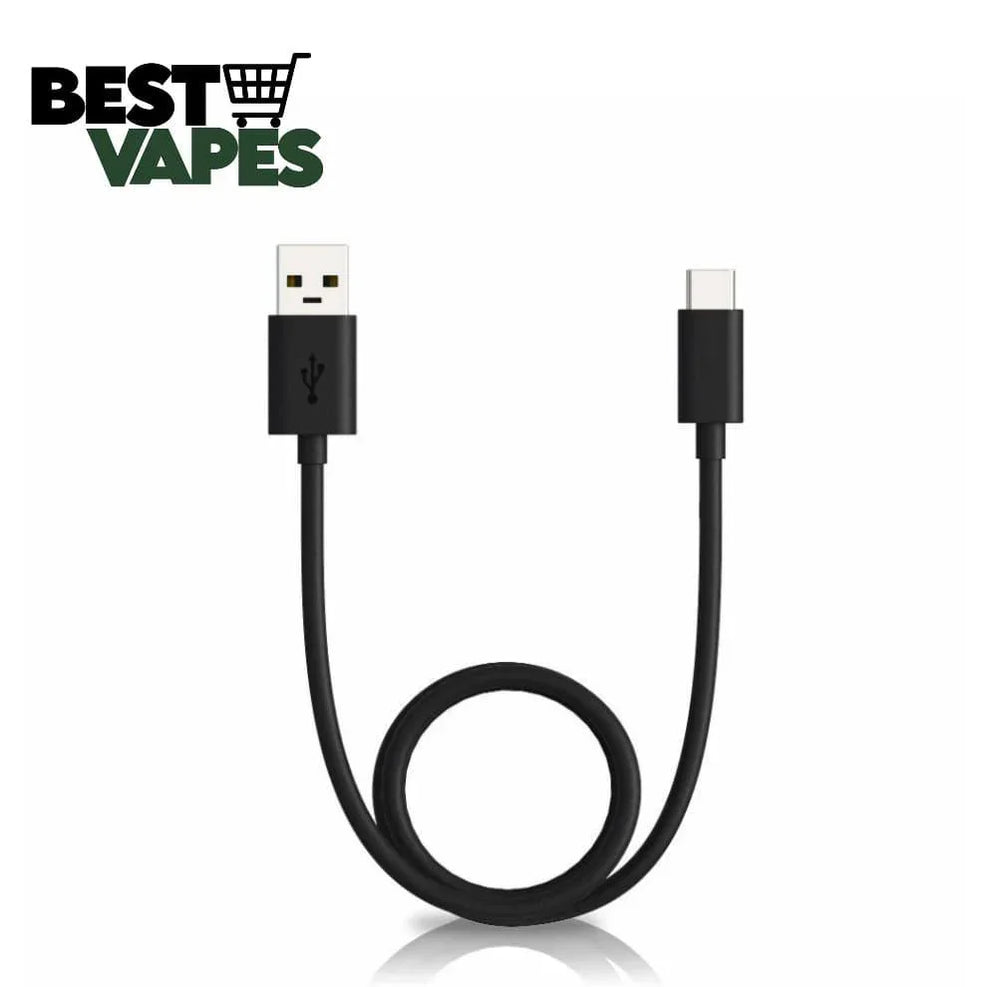
Safety precautions before you fast-charge a vape
Safe USB-C vape charging is mostly about removing avoidable risk. You do not need to overcomplicate it, but you should be deliberate about the charger, cable, environment, and warning signs.
- Check the vape’s charging input first. Look for the manual, device packaging, or printed markings near the port. If the information lists a specific input, use that as your limit.
- Avoid damaged cables and loose connectors. Frayed insulation, bent tips, intermittent charging, or a plug that wiggles excessively can create heat and unstable contact.
- Charge on a stable, non-flammable surface. Avoid bedding, paper piles, car dashboards in direct sun, or enclosed spaces where heat cannot escape.
- Do not charge unattended for long periods. You do not need to stare at the device, but overnight charging is a poor habit for small battery devices, especially if you are unsure about the adapter.
- Unplug if heat or behavior seems abnormal. Stop charging if the vape becomes unusually hot, makes noise, smells odd, leaks, or shows battery swelling.
- Keep the port clean and dry. Pocket lint, e-liquid residue, and moisture can interfere with the connection. Do not insert metal objects into the port.
One common misconception is that a large USB-C charger automatically “forces” power into the vape. In normal USB charging, the device requests what it can use. The risk is not simply the charger’s maximum rating; it is the whole chain: low-quality adapters, damaged cables, poor port contact, heat buildup, and devices with unclear or unsupported charging requirements.
If you want a more detailed charging safety checklist, Mastering USB-C Vape Charging: Avoid Mistakes and Extend Device Life focuses specifically on correct USB-C charging habits.
How to choose a compatible USB-C cable and charger
The right cable and charger are the biggest decision blockers because many USB-C accessories look identical. Start by separating the three parts of the setup: the vape’s USB-C port, the USB-C cable, and the power adapter. Compatibility requires all three to work together within the vape’s limits.
| What to check | Why it matters | What to do |
|---|---|---|
| Vape input rating | This tells you what the device is designed to receive. | Use the manual, packaging, or manufacturer guidance as the source of truth. |
| Cable condition | A damaged or low-quality cable can cause slow charging, dropouts, or heat. | Use an intact USB-C cable that fits firmly without force. |
| Charger output | The adapter must be able to provide the required power without exceeding unclear device limits. | Match the vape’s listed input. If unknown, avoid high-power assumptions. |
| USB-A to USB-C vs USB-C to USB-C | Different cable types may behave differently with certain adapters and devices. | Use the cable type the vape maker specifies when available. |
| Charging behavior | Real-world signs reveal compatibility issues. | Watch for repeated disconnects, unusual heat, or charging that never completes. |
If your vape came with a cable, that cable is the easiest baseline. If it did not, or if you lost it, do not assume every USB-C cable is equivalent. Some cables are built mainly for charging small devices, some support higher power, and some are poor-quality despite looking normal. The safest general choice is a well-made cable with no visible damage and a charger that aligns with the device’s input instructions.
For wall adapters, avoid the “more watts is always better” mindset. A laptop-class USB-C charger may work with many devices, but it is not automatically the most appropriate choice for a small vape. If the vape documentation says to use a standard USB charger or gives a specific input, follow that instruction over convenience.
What if your vape has USB-C but charges slowly?
Slow charging does not always mean something is wrong. The device may intentionally limit charging speed to protect the battery. Before replacing cables or chargers, check whether the vape is near full, warm from recent use, or being charged from a weak source such as a low-power computer port. If charging remains inconsistent across known-good cables and adapters, the port or battery may be the limiting factor.
Pros and cons of fast charging vapes
Fast charging is useful, but it is not the right priority in every situation. The main advantage is reduced downtime: you can return to use sooner when the vape supports faster charging properly. It may also simplify daily routines if you top up during short breaks rather than waiting through a long charging session.
The drawbacks are mostly about margin for error. Fast charging can create more heat than slower charging, and heat is one of the conditions that can reduce battery comfort and longevity. It can also encourage careless habits: grabbing any cable, using high-power adapters without checking compatibility, or charging in poor environments because the session feels brief.
| Fast charging advantage | Possible tradeoff | Best response |
|---|---|---|
| Less waiting between sessions | More attention needed to heat and compatibility | Use only supported charging setups. |
| Convenient top-ups | Frequent short charging can hide declining battery performance | Notice changes in runtime and charging behavior. |
| Fewer cables if USB-C is shared | Not every USB-C cable or adapter is suitable | Check ratings and avoid damaged accessories. |
| Modern, easy-to-use connector | USB-C port shape may be mistaken for fast-charge support | Confirm the device specification before assuming speed. |
The balanced view is simple: use fast charging when the vape is designed for it and when you can charge in a sensible environment. Use slower, conservative charging when the device specifications are unclear, the vape feels warm, or you are using an unfamiliar adapter.
A quick diagnostic guide for common USB-C charging problems
If your vape is not charging as expected, work through the likely causes in order rather than immediately blaming the battery.
- Try a different power source. A computer port, car port, or old adapter may not provide stable output.
- Inspect the cable. Swap in another intact USB-C cable if charging cuts in and out.
- Check the port gently. Look for lint, moisture, or residue. Do not scrape the port with metal tools.
- Let the vape cool. If it was just used heavily or left in a warm place, wait before charging.
- Confirm device support. If it has USB-C but no fast-charge claim or input rating, slower charging may be normal.
- Stop using it if there are battery warning signs. Swelling, leaks, unusual smells, or excessive heat are not troubleshooting challenges; they are stop signs.
FAQ: USB-C fast charging for vapes
What is the difference between USB-C and older charging ports?
USB-C is reversible and generally more versatile than older micro-USB ports. It can support faster charging in many electronics, but the actual charging speed depends on the device’s internal charging design and the adapter being used. For vapes, USB-C should be viewed as a more convenient connector first and a possible fast-charging feature second.
Can fast charging damage my vape battery?
Fast charging can contribute to battery stress if it creates excess heat or if the vape is charged with an unsuitable cable or adapter. If the vape is designed for fast charging and you follow the stated input guidance, the risk is lower. If the device becomes unusually hot or behaves oddly, unplug it and do not continue charging as normal.
How do I know if my vape supports USB-C fast charging?
Look for explicit charging information from the device maker: input rating, supported charger type, or fast-charge wording in the manual or packaging. A USB-C port alone is not proof. If you cannot verify support, treat the vape as a standard USB-C rechargeable device and use a conservative charging setup.
The practical takeaway
USB-C can make vape charging faster, cleaner, and more convenient, but safe results come from matching the vape, cable, charger, and environment. Check the device’s input rating, use an intact compatible cable, avoid heat and unattended charging, and do not assume every USB-C charger is appropriate. The right goal is not the fastest possible charge; it is a charge that is quick enough without ignoring battery life or safety signals.
Related Guides in best vape
You can refer to similar articles..
- USB-C Rechargeable Vape Mistakes That Shorten Battery Life
- Mastering USB-C Vape Charging: Avoid Mistakes and Extend Device Life
- Blueberry Ice Vape vs Plain Blueberry: Which Flavor Fits You?
- Bulk Disposable Vape Costs: What Changes the Real Unit Price
- How to Buy Vape Wholesale With Better Margins and Fewer Stockouts
- Disposable Vape Wholesale Mistakes That Can Shrink Your Margins
- Europe Fast Shipping Vape vs Local Stock: Which Saves More Time?
- Is a High Puff Disposable Vape Worth It? Costs, Battery, and Flavor
- Long Lasting Disposable Vape for Heavy Users: What Matters Most
- No ID Vape Belgium vs Verified Sellers: Which Is Safer to Use?
- How to Choose Prefilled Vape Wholesale Without Overstocking Slow Movers
- Vape Bulk Price Negotiation: What Retail Buyers Can Ask For


